Publish live
Send your Studio draft to every phone that has your app — design, content and products, live in seconds, with an Undo that costs nothing.
Uruvak splits "changing my app" into two very different acts. Publish Live is the everyday one: you edit in Studio, press one button, and shoppers get the new design the next time they open the app. A release is the rare one: Uruvak compiles a brand-new Android file that you upload to Google Play yourself, and shoppers only get it after store review. Almost everything you will ever change is a Publish Live.
What goes live, and what needs a release#
Six things are baked into the installed app. Everything else is content Uruvak can swap at any time.
| What you changed | How it reaches shoppers |
|---|---|
| Blocks, their order, any page (Home, Category, Product, Cart) | Publish Live |
| Theme, colors, fonts, preset | Publish Live |
| Products, categories and images you picked | Publish Live |
| Bottom tabs and trust badges | Publish Live |
| Header settings and the launch banner | Publish Live |
| Your store address | Publish Live |
| App name | New release |
| App icon | New release |
| Package name | New release |
| The Firebase file for push (google-services.json) | New release |
| The Google Sign-In client id for iPhones | New release |
When you touch one of those last six, an amber New release required pill appears in the Studio top bar. It is not an error and it does not block anything — Publish Live keeps working for content while the release waits.
Before your first release, Publish Live is locked#
A brand-new store has no installed app to push to, so the button is greyed out and a link beside it reads "Take your first release to unlock →". Hovering the button explains itself: Take your first app release to unlock Live Publish.

Take that first release from Settings › Releases. It takes roughly ten minutes to build, and it does something quietly useful: it freezes whatever is in your draft right now as your first published version, without spending any of your Free publishes. From then on the orange button is yours. Full walkthrough: Take a release.
If that first build fails, the freeze has already happened but the unlock has not: whatever your draft looked like when you pressed Release app is now recorded as your published version, and Publish Live stays greyed out until a release finishes. Retry the release; nothing else is needed.
Publish your draft#
Check the top bar says Draft saved
There is no Save button in Studio. Your draft saves itself about a second after you stop typing, and the top bar moves from "Saving…" to "Draft saved". If it ever reads "Draft not saved — retrying on your next change", your browser has lost its connection to Uruvak. Fix that before you publish — only a saved draft can be published.
Press Publish Live
The orange rocket button, top right. On the Free plan it carries your remaining count, for example Publish Live · 3 left. On Launch or Agency it just reads Publish Live.
Confirm
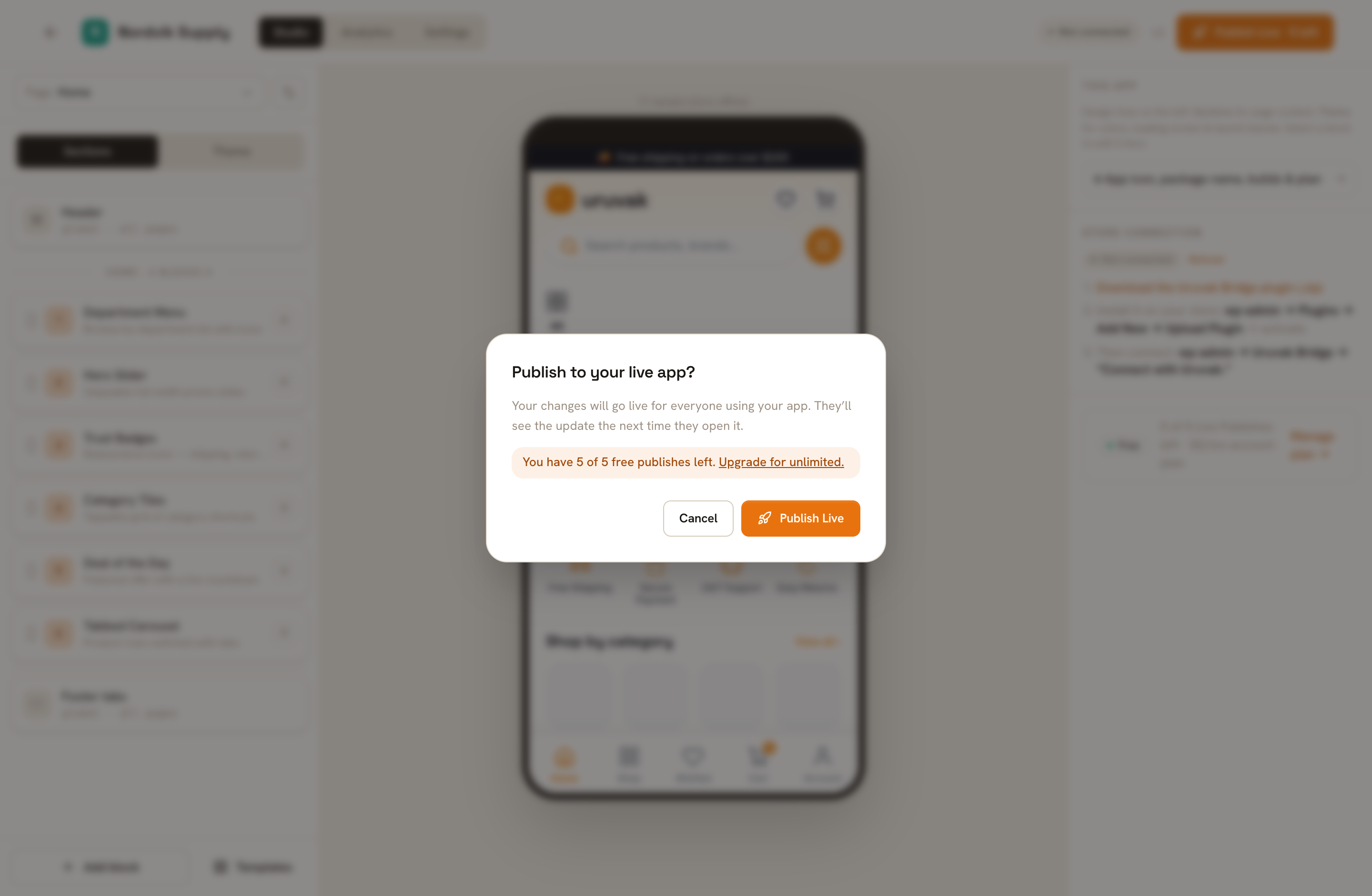
The dialog asks "Publish to your live app?" and tells you plainly that everyone using your app will see the change. On Free it also shows the counter and a link to upgrade. On a paid plan it offers a checkbox, Don't ask me again — publish immediately; that preference is stored in the browser you tick it in, so it will ask again on your laptop even after you tick it on your desktop.
The same dialog on Free and on a paid plan. Free accounts always get the confirmation — the checkbox is never offered. Wait for the toast
The button reads "Publishing…" for a second or two, then a dark bar appears at the bottom of the screen: Published. Your users get this the next time they open the app. The counter on the button drops immediately. The toast has no timer — it stays until you dismiss it.
The three strips that can appear at the bottom of Studio after you publish. Only one is on screen at a time.
How fast shoppers actually see it#
"Live in seconds" describes Uruvak's side. On the shopper's phone, the app looks for a new design:
- when they open the app from cold,
- every time they switch back to it from another app,
- once an hour if they leave it open on screen and never switch away,
- and whenever they pull down to refresh.
So a shopper who is staring at your app right now, and does not background it, can be up to an hour behind. Everyone else is current within a moment of picking the phone back up. They will also see the old design for a beat before it swaps in place — the app draws from its cache first so nothing is ever blank.
Publishing sends nobody a notification. Shoppers find the new design when they next open the app; if you want to actually tell them something, that is a separate job — see Push notifications.
The Free counter, and what happens at zero#
free includes 5 Live Publishes for the lifetime of the account. Not five a month, and not five per store — five, once, across everything on the account. You will see the same number in four places: on the button, in the confirmation dialog ("You have 3 of 5 free publishes left."), on your Uruvak home page under Live Publish, and in Studio's right-hand panel ("3 of 5 Live Publishes left · $0/mo account plan").
At zero, the orange button is replaced by Upgrade to publish, which takes you to Billing. Hovering it says what matters: Your app keeps running exactly as last published. Upgrade to keep updating it. Nothing is switched off, nothing is deleted, no shopper notices — you simply cannot change the app until you upgrade.
Three things never cost you a publish:
- A failed publish. Uruvak only counts one after your store has accepted the new design. Retry as often as you need.
- Undo. Always free, however many times you press it.
- Releases. Building the Android file is counted separately, and the first one does not spend a publish either.
launch at $39/month and agency at $149/month both include unlimited Live Publish; the difference is one store versus five. Details in Plans and limits.
Undo#
The Undo link inside the success toast restores the version that was live before you published, immediately and free of charge. Press it twice and you are back to the newer version — the two are simply swapped each time. A second toast confirms it: Restored the previous publish.
Two things about Undo will surprise you if nobody says them first.
If you press Undo on an app that has only ever been published once, you get "There's no earlier publish to restore." If the undo itself fails, the message begins "Could not restore the previous publish:" and your live app is untouched.
When a publish fails#
Failures show as a red bar at the bottom of Studio, sometimes with an action link. None of them spend a publish.
| What the bar says | What it means | What to do |
|---|---|---|
| Take your first app release to unlock Live Publish. | This store has never been built. | Follow the Take a release link in the bar. |
| You've used your 5 free Live Publishes. Your app keeps running exactly as last published — upgrade to keep updating it. | The Free allowance is spent. | Follow the Upgrade link, or leave the app as it is. |
| Your subscription is inactive — a payment may have failed. Update billing to continue. | A card was declined, or the plan was cancelled. | Update your card on the Billing page. Releases and Undo still work; only publishing is paused. |
| This store is over your plan's limit (Free includes 1 store). Resubscribe or archive another store to edit it. | You have more connected stores than your plan allows. | Archive one on the Billing page, or upgrade. See Upgrading, downgrading and cancelling. |
| Could not publish to the store: Cannot publish: store is not connected (no API key) | Uruvak no longer has permission to write to your WooCommerce store. | Reconnect from WordPress. See When the connection breaks. |
| Could not publish to the store: WP publish rejected: HTTP 403 … | Your store answered, but refused. A security plugin or a firewall in front of your site is usually blocking it. The number varies — 401, 403 and 502 are the common ones. | Allow requests to the Uruvak Bridge plugin, then retry. |
| Could not publish. | The request never got a proper answer — usually your own internet connection. | Retry. |
If what changed was the icon, the name or the package name, Publish Live cannot carry it and the amber pill will tell you so — that job belongs to Take a release.